> ## Documentation Index
> Fetch the complete documentation index at: https://laminar.sh/docs/llms.txt
> Use this file to discover all available pages before exploring further.
# Slack integration
Connect Slack to your Laminar workspace to get [signal](/signals/introduction) alerts in your channels and to talk to [Laminar Agent](/platform/laminar-agent) where your team already works. Once connected, Slack works across every project in the workspace.
## Connect Slack
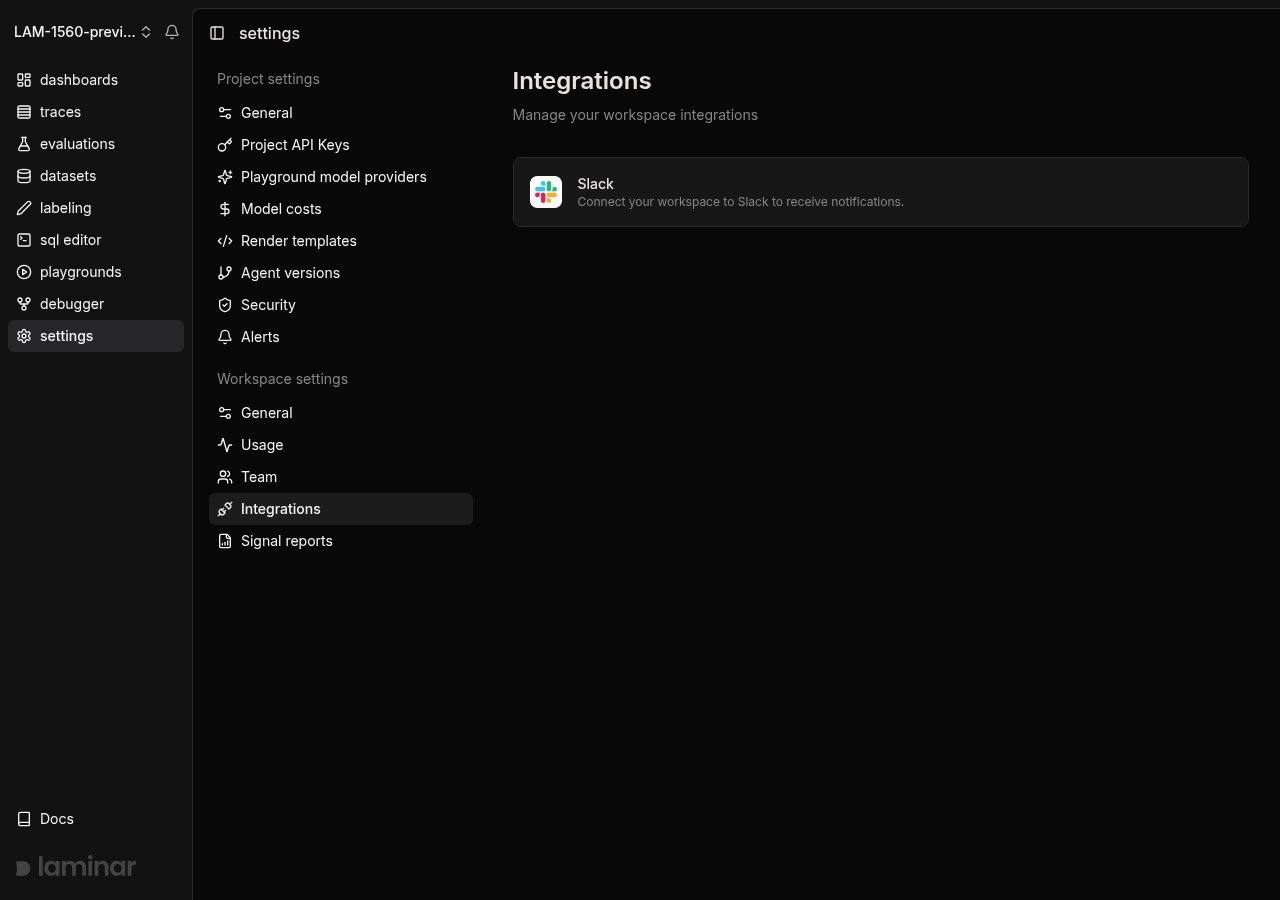
1. Go to the **Settings** page and select **Integrations** from the sidebar.
2. Find the **Slack** card and click **Connect to Slack**.
3. You will be redirected to Slack's authorization page. Select the Slack workspace you want to connect and click **Allow**.
4. After authorization, you will be redirected back to Laminar. The Slack card will show a **Connected** badge.
 ## Laminar Agent
[Laminar Agent](/platform/laminar-agent) answers questions about your project's data in plain language, and Slack is one of the places it lives. Mention `@Laminar` in a connected channel and it replies in the thread:
## Laminar Agent
[Laminar Agent](/platform/laminar-agent) answers questions about your project's data in plain language, and Slack is one of the places it lives. Mention `@Laminar` in a connected channel and it replies in the thread:
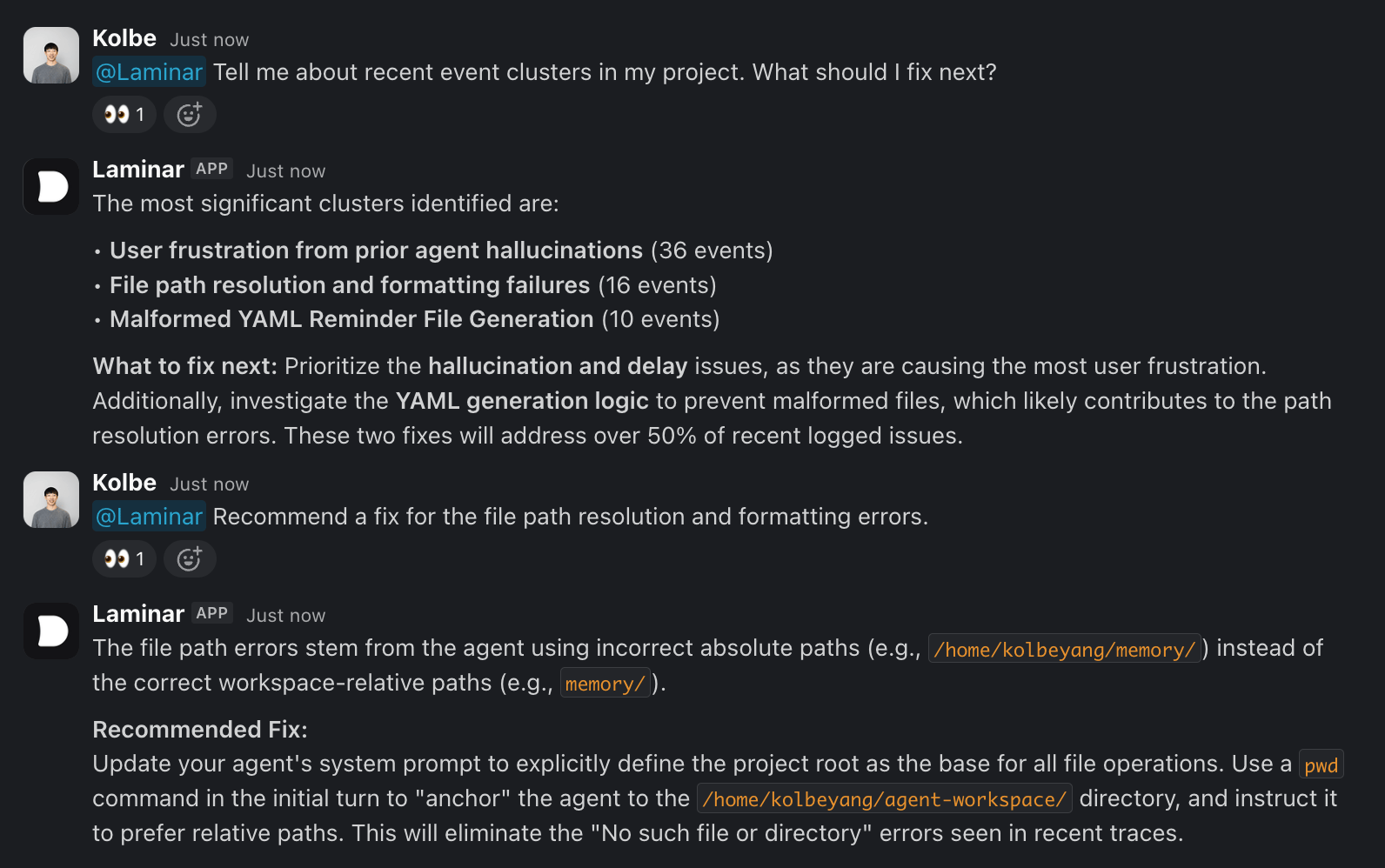 The agent runs SQL and reads trace context to ground its answer, then posts the reply back into the thread as a Slack message. Follow-up mentions in the same thread continue the conversation.
See how else you can interact with [Laminar Agent](/platform/laminar-agent).
### Respond to an alert for more context
When an alert posts to a Slack channel, reply in that thread and mention `@Laminar` to dig into what happened. The agent picks up the alert's signal event and trace from the thread, so you can ask it to explain the root cause, pull the full trace, or run a follow-up query without leaving Slack:
> @Laminar why did this fire? Walk me through the trace.
### Connect a channel to a project
The agent answers about one Laminar project per channel, so each channel is connected to a project before the agent can query its data. There are two ways to connect one:
* **From Slack.** Mention `@Laminar` in a channel that is not yet connected. The agent replies with a project picker listing the projects available to your workspace. Choose one, and the channel is connected. Mention the agent again and it answers from that project's data.
* **From Laminar.** A workspace admin can connect a channel to a project from **Workspace → Integrations**.
The agent runs SQL and reads trace context to ground its answer, then posts the reply back into the thread as a Slack message. Follow-up mentions in the same thread continue the conversation.
See how else you can interact with [Laminar Agent](/platform/laminar-agent).
### Respond to an alert for more context
When an alert posts to a Slack channel, reply in that thread and mention `@Laminar` to dig into what happened. The agent picks up the alert's signal event and trace from the thread, so you can ask it to explain the root cause, pull the full trace, or run a follow-up query without leaving Slack:
> @Laminar why did this fire? Walk me through the trace.
### Connect a channel to a project
The agent answers about one Laminar project per channel, so each channel is connected to a project before the agent can query its data. There are two ways to connect one:
* **From Slack.** Mention `@Laminar` in a channel that is not yet connected. The agent replies with a project picker listing the projects available to your workspace. Choose one, and the channel is connected. Mention the agent again and it answers from that project's data.
* **From Laminar.** A workspace admin can connect a channel to a project from **Workspace → Integrations**.
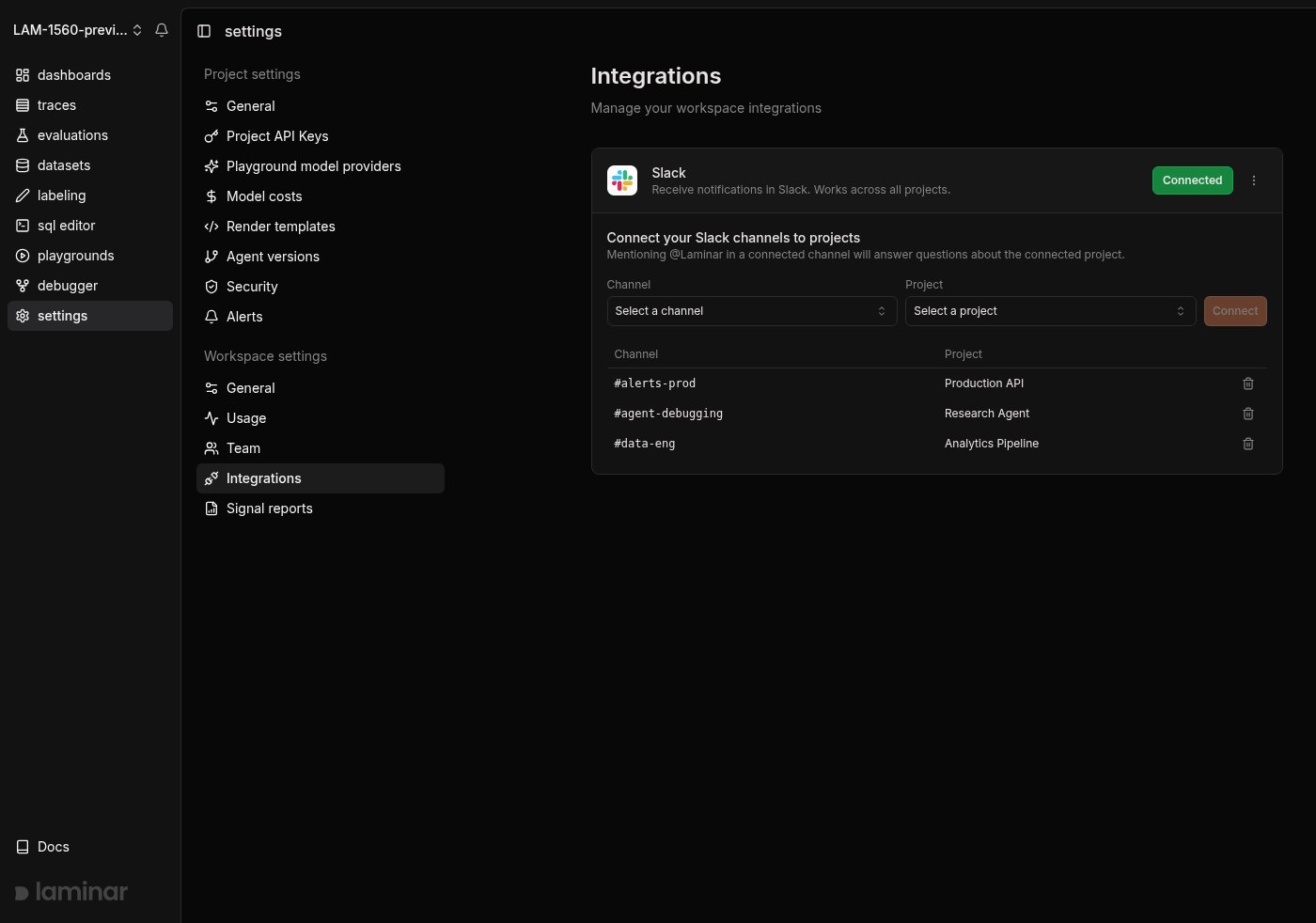 Each channel maps to a single project, so pick the project whose traces the people in that channel care about.
## Alerts
Create per-project [alerts](/signals/alerts) that post to a Slack channel of your choice whenever a signal event is detected. Each message contains the signal name, the extracted payload fields, and a link to the trace, so you find out the moment something you care about happens and can jump straight to the run.
Each channel maps to a single project, so pick the project whose traces the people in that channel care about.
## Alerts
Create per-project [alerts](/signals/alerts) that post to a Slack channel of your choice whenever a signal event is detected. Each message contains the signal name, the extracted payload fields, and a link to the trace, so you find out the moment something you care about happens and can jump straight to the run.
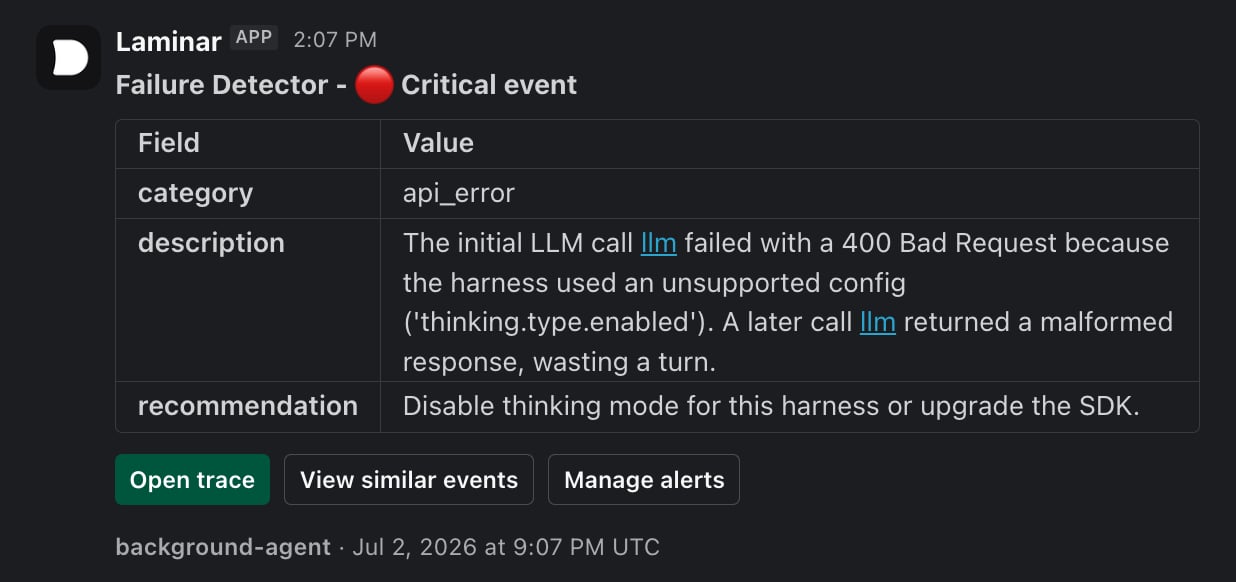 Pick the Slack channel for an alert from the [Alerts](/signals/alerts) settings page on any project. [Reports](/signals/reports) can post to Slack the same way for scheduled rollups.
## Remove Slack integration
1. Go to your **Workspace** page and select **Integrations** from the sidebar.
2. On the connected Slack card, click the dropdown menu (three dots).
3. Select **Remove**.
4. Confirm the removal in the dialog.
Removing the integration deletes all alert subscriptions connected to that Slack workspace. This action cannot be undone.
Pick the Slack channel for an alert from the [Alerts](/signals/alerts) settings page on any project. [Reports](/signals/reports) can post to Slack the same way for scheduled rollups.
## Remove Slack integration
1. Go to your **Workspace** page and select **Integrations** from the sidebar.
2. On the connected Slack card, click the dropdown menu (three dots).
3. Select **Remove**.
4. Confirm the removal in the dialog.
Removing the integration deletes all alert subscriptions connected to that Slack workspace. This action cannot be undone.