> ## Documentation Index
> Fetch the complete documentation index at: https://laminar.sh/docs/llms.txt
> Use this file to discover all available pages before exploring further.
# Live tracing
Live tracing lets you watch a trace fill in while it’s still running—spans show up as they finish, so you can debug long-running workflows without waiting for the root span to end.
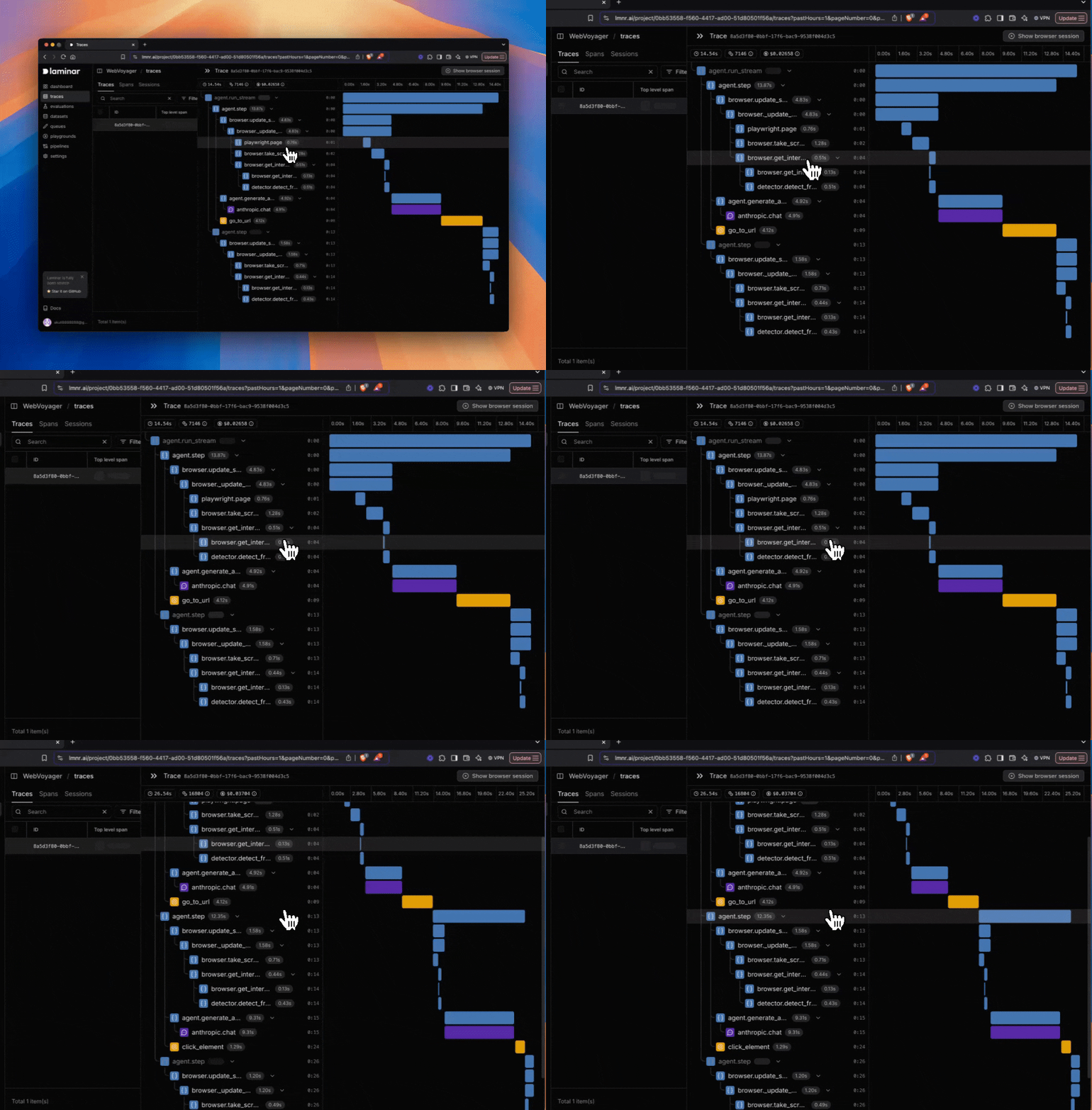 ## How to use it
1. Trigger a run that produces traces.
2. Open the trace in Laminar.
3. Keep the trace open—new spans will appear as they’re exported.
## Reduce delay (development)
Laminar batches spans for performance by default, which can add a small delay between a span ending and it appearing in the UI. For faster updates during development, disable batching:
```typescript theme={null}
import { Laminar } from '@lmnr-ai/lmnr';
Laminar.initialize({
projectApiKey: process.env.LMNR_PROJECT_API_KEY,
disableBatch: true,
});
```
```python theme={null}
from lmnr import Laminar
Laminar.initialize(
project_api_key="...",
disable_batch=True,
)
```
Disabling batching increases export overhead. Keep batching enabled in production, and flush spans explicitly for short-lived processes. See [Flushing spans and shutting down](/tracing/structure/flushing-and-shutdown).
## How to use it
1. Trigger a run that produces traces.
2. Open the trace in Laminar.
3. Keep the trace open—new spans will appear as they’re exported.
## Reduce delay (development)
Laminar batches spans for performance by default, which can add a small delay between a span ending and it appearing in the UI. For faster updates during development, disable batching:
```typescript theme={null}
import { Laminar } from '@lmnr-ai/lmnr';
Laminar.initialize({
projectApiKey: process.env.LMNR_PROJECT_API_KEY,
disableBatch: true,
});
```
```python theme={null}
from lmnr import Laminar
Laminar.initialize(
project_api_key="...",
disable_batch=True,
)
```
Disabling batching increases export overhead. Keep batching enabled in production, and flush spans explicitly for short-lived processes. See [Flushing spans and shutting down](/tracing/structure/flushing-and-shutdown).