
tasks/dataset.toml, which pins one version of each task. The task folders themselves, with their case data and reference answers, live in Laminar. lmnr-cli eval dataset push uploads your tasks and pins them, and lmnr-cli eval dataset pull downloads the versions that dataset.toml pins.
Cases built from production traces often hold customer data and large fixtures, which you may not want in your git history. With the tasks in Laminar, every trial also records which version of its task it ran, so you can open that exact version from the evaluation.
Datasets need
lmnr-cli 0.5.8 or later. Datasets created before it are now legacy datasets.What lives in git and what lives in Laminar
A dataset is a folder inevals/ with a harbor.yaml, as described in The evals folder:
evals/.gitignore, so git ignores every task folder and keeps dataset.toml:
evals/.gitignore
Name the dataset and its tasks
dataset.toml is Harbor’s dataset manifest. Its [dataset] name is the dataset’s name in Laminar, and the default evaluation group for its runs:
evals/support/tasks/dataset.toml
[task] name in its task.toml, not by its folder name:
evals/support/tasks/duplicate-charge/task.toml
org/name form. The org part can be anything, such as your app or team name. Every task in a dataset needs its own name, so when you copy a task folder to make a new case, change the name in the copy’s task.toml.
Push tasks to Laminar
From the repo root:push hashes each task, uploads the versions Laminar doesn’t have yet, and pins them in dataset.toml:
evals/support/tasks/dataset.toml
dataset.toml. That commit is what gives your teammates and CI the new version.
If the task folders were committed to git before, the new .gitignore rules don’t untrack them. Remove them from the index once, keeping the files on disk:
harbor sync. These files count: task.toml, instruction.md, README.md, trajectory.json, and the environment/, tests/, solution/, and steps/ folders, minus anything the task’s .gitignore or .harborignore excludes. Other files in the task folder are neither hashed nor uploaded. push refuses a task that contains .env* files, and a task can be at most 1 GiB once packed.
Pull tasks from Laminar
pull makes each task folder match its pin in dataset.toml. Run it after you clone the repo, and after a git pull that changed dataset.toml. It never changes dataset.toml itself.
How push and pull treat each task
Laminar stores every version of a task side by side and has no “latest” version.dataset.toml is the only record of which version a dataset uses. For each task, push and pull compare three things: the task folder on disk, its pin in dataset.toml, and whether Laminar has the version on disk.
These rules cover the everyday changes:
- Edit a task: change its files,
push, and commitdataset.toml. - Add a task: copy a task folder, give the copy a new
[task] name,push, and commitdataset.toml. - Remove a task: delete its
[[tasks]]entry fromdataset.tomland commit. The nextpulldeletes the folder.pushnever removes a pin.
When two people edit the same task
Eachpush stores its own version, so both edits are kept in Laminar. The two branches then change the same digest line in dataset.toml, and git shows a merge conflict there. Keep the digest you want, commit the merge, and run pull to get that version on disk.
Local edits and --force
pull checks every task before it writes anything. If it would overwrite a task whose version Laminar doesn’t have, it stops with exit code 22 and names the task, because that edit exists only on your disk. Push the edit to keep it, or pass --force to discard it and take the pinned version:
Preview, filter, and script
Run a dataset
lmnr-cli eval run runs the tasks on disk as they are, including edits you haven’t pushed. It never pulls, so run pull first on a fresh clone or after dataset.toml changes:
eval run warns and prints the push and pull commands. If a dataset has pins and no task folders at all, as in a fresh clone, it stops and tells you to pull.
With --remote, only the tasks Laminar doesn’t have are uploaded with the run. The sandbox downloads the others from the dataset.
In CI, pull before you run. Both commands use LMNR_PROJECT_API_KEY:
Browse datasets in Laminar
The project’s Datasets page lists your datasets. Open one to see its tasks and every version of each task, and open a version to browse its files.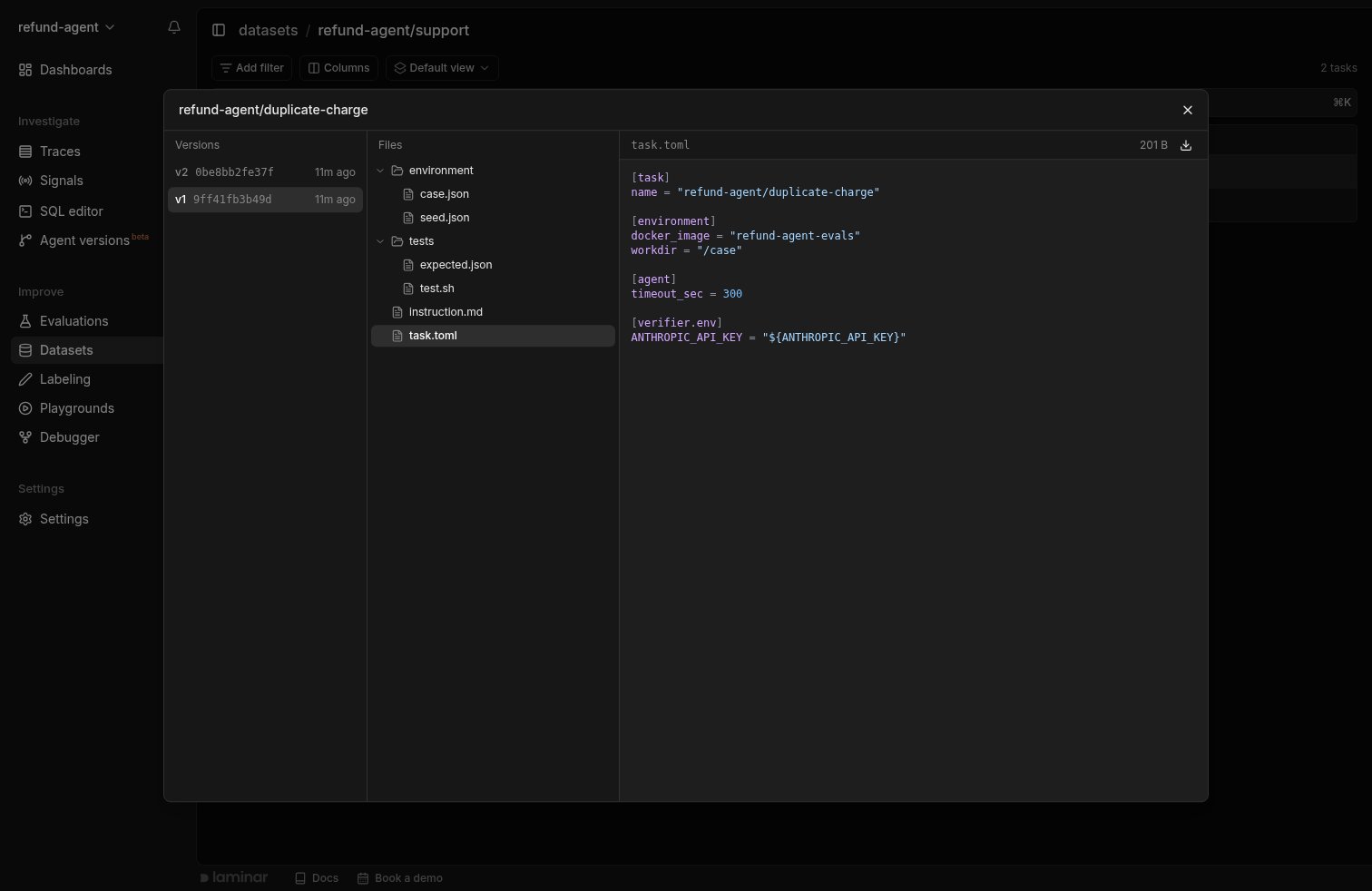
A task in a dataset: every version Laminar stores, and the files of the selected version.
task/, with a link to it in the dataset. For --remote runs, the Files view also has the dataset’s agent/ folder and the trial’s Harbor output under logs/.
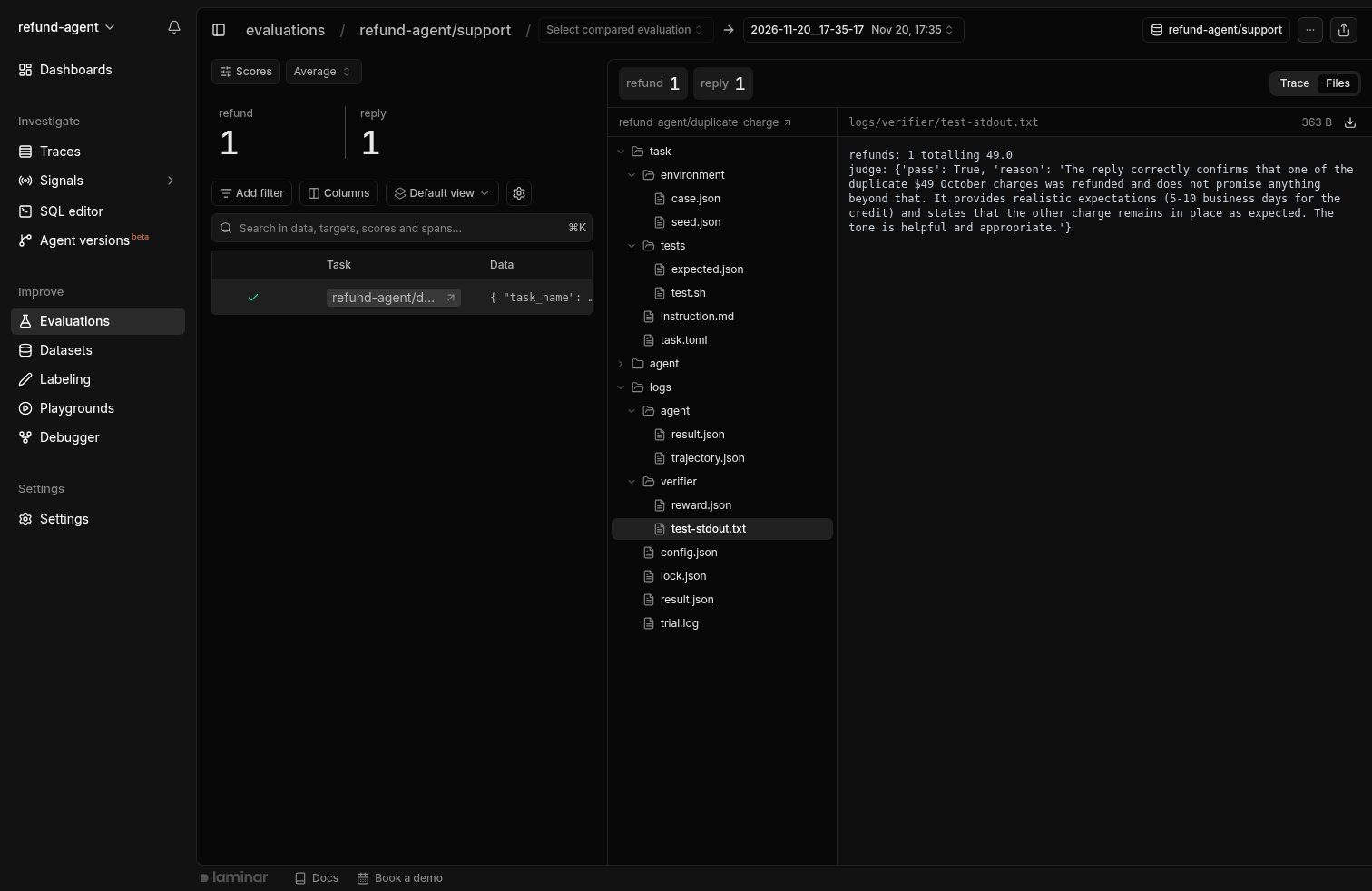
A trial's Files view: the task version it ran, linked to the dataset, next to Harbor's output for the trial. Here the verifier's output shows the LLM judge's reasoning.
On a self-hosted deployment, datasets need an S3 bucket. Set
S3_DATASETS_BUCKET, with AWS credentials, for both the app server and the frontend. Without it, push and pull fail with storage_not_configured.Next steps
The evals folder
Reference for
harbor.yaml, dataset.toml, task.toml, and secrets.Run evals with lmnr-cli
Local and remote modes, flags, CI, and sandbox limits.
Compare runs
Every run of a dataset is charted in its group. Diff two runs to see which cases regressed.
Track failures with Signals
Find the production traces worth turning into new tasks.