What You Can Do
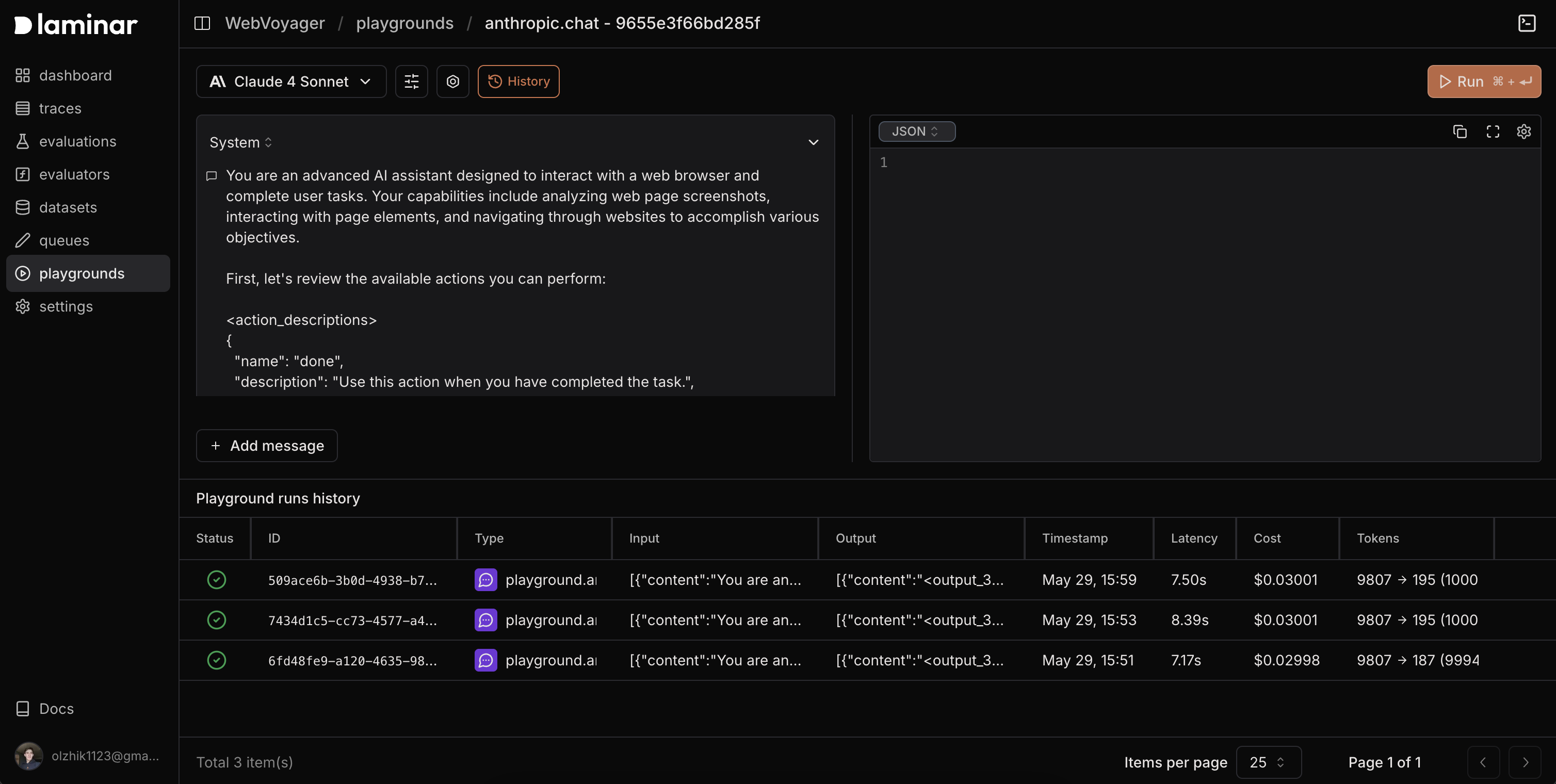
- Prompt experimentation: Test prompt variations and inputs with instant results.
- Open from spans: Reproduce exact configurations from any LLM span with Experiment in playground.
- Tool integration: Configure and test custom tools that models can call.
- Session history: Review and replay past runs with full context.
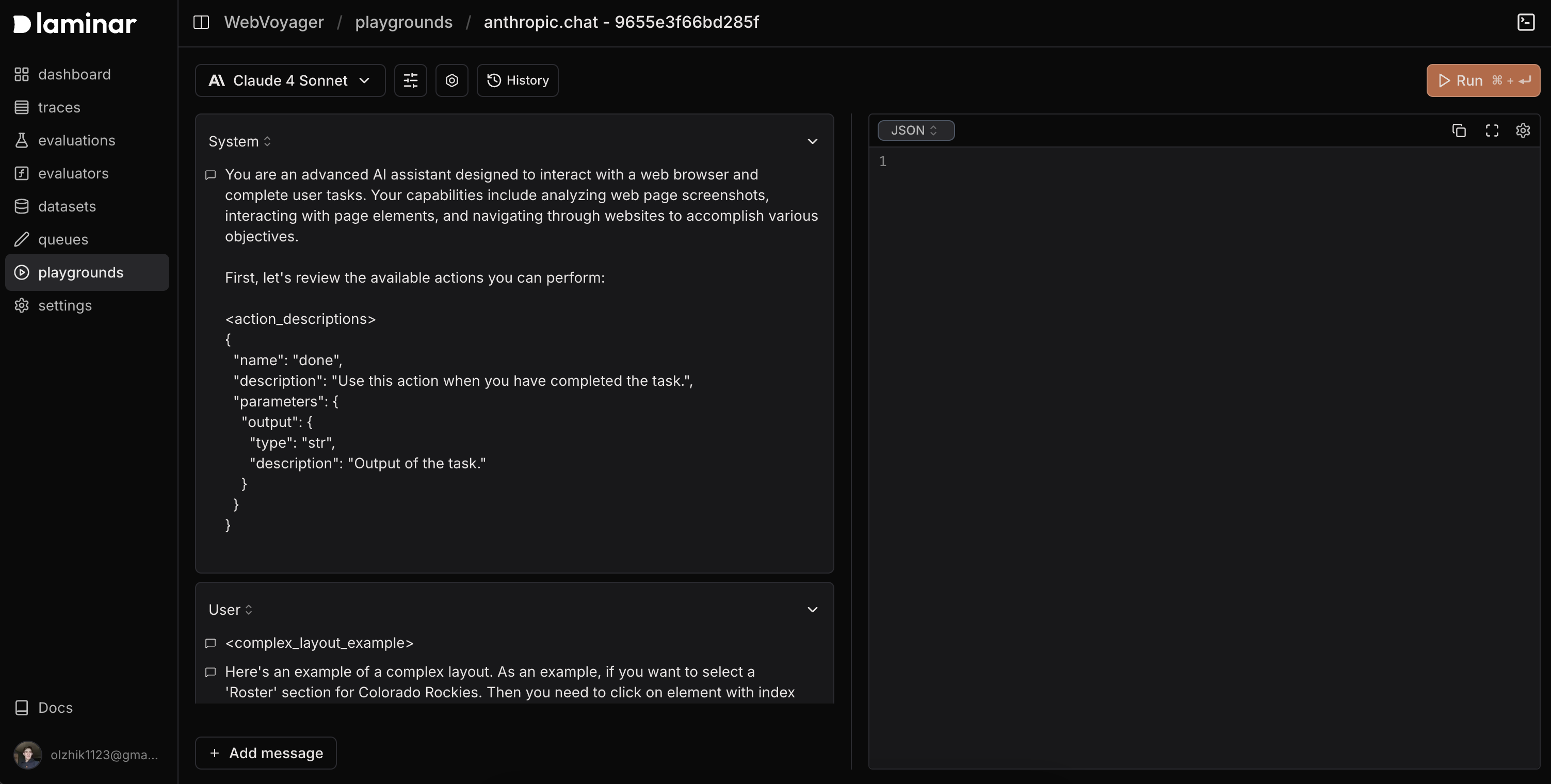
- In the Laminar dashboard, open playgrounds and click Playground.
- Pick a profile and model, then start experimenting, or open directly from a span.
Models come from LLM profiles
The model picker is built from your workspace’s LLM profiles: one submenu per profile, listing the models that profile exposes. There is no built-in catalog, so a model is available here when a profile lists it and holds credentials for it. A workspace with no profiles shows No LLM profiles configured in place of the picker, with a link to workspace settings.Start from Scratch
- Create a new playground to iterate quickly.
- Send requests, view responses, and compare outputs side by side.
- Save versions to revisit later.
Start from a Span
Open the actions menu next to the span name on any LLM span and click Experiment in playground. The playground inherits:- Model settings (model, temperature, token limits, thinking tokens)
- Images and input formatting
- Tools and tool configuration
- System prompts and message history
Tools
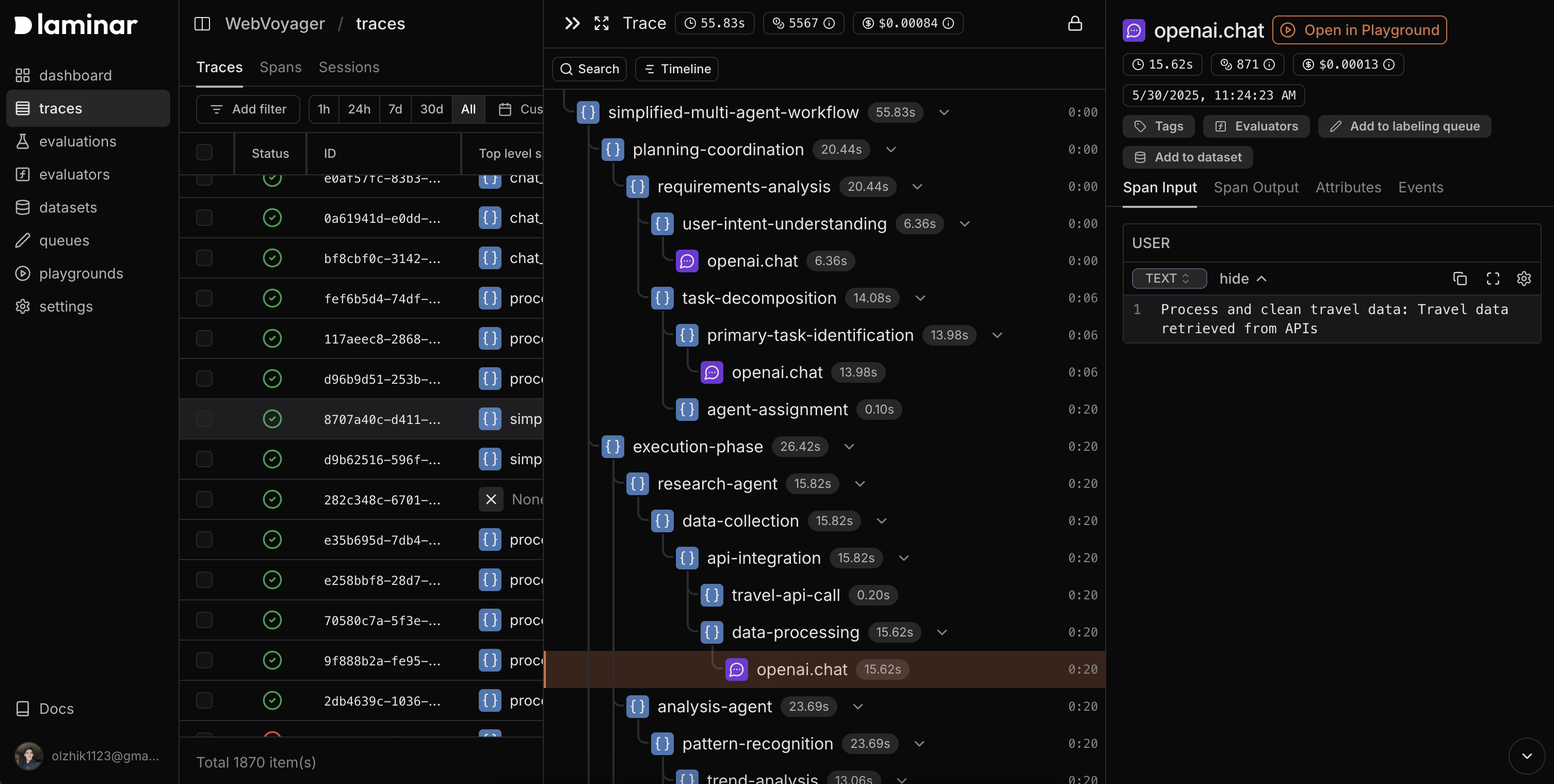
Add tools so models can call functions during a session. Tools are defined as JSON with function names, descriptions, and parameter schemas; choose when tools are allowed (none, auto, required, or a specific function).
Example tool config
History
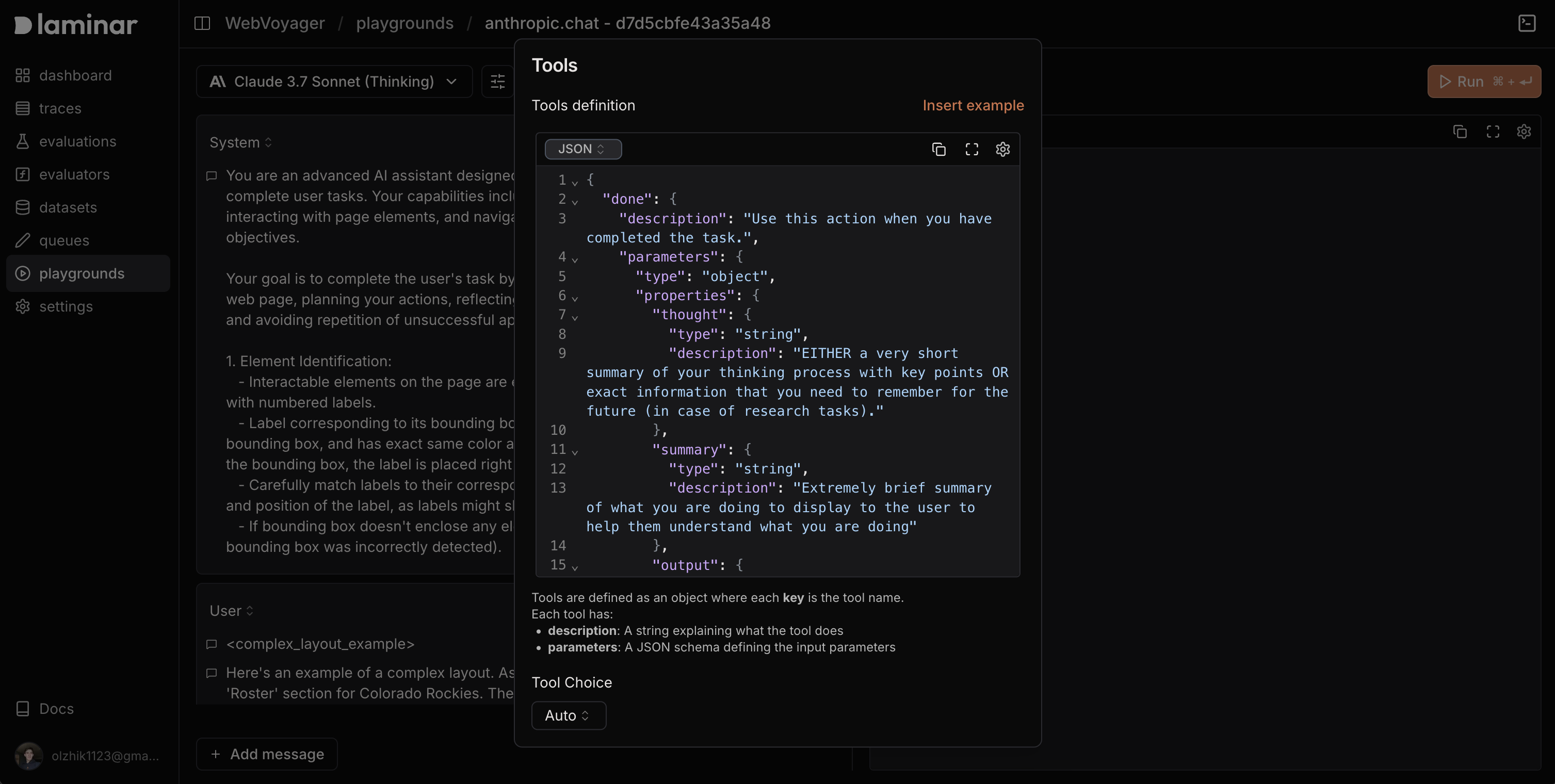
Every playground run is saved. The History tab shows:- Full conversations (prompts and responses)
- Model configurations (model, temperature, tokens, etc.)
- Tool calls with inputs/outputs
- Performance metrics (latency, tokens, cost)
- Timestamps for each run