
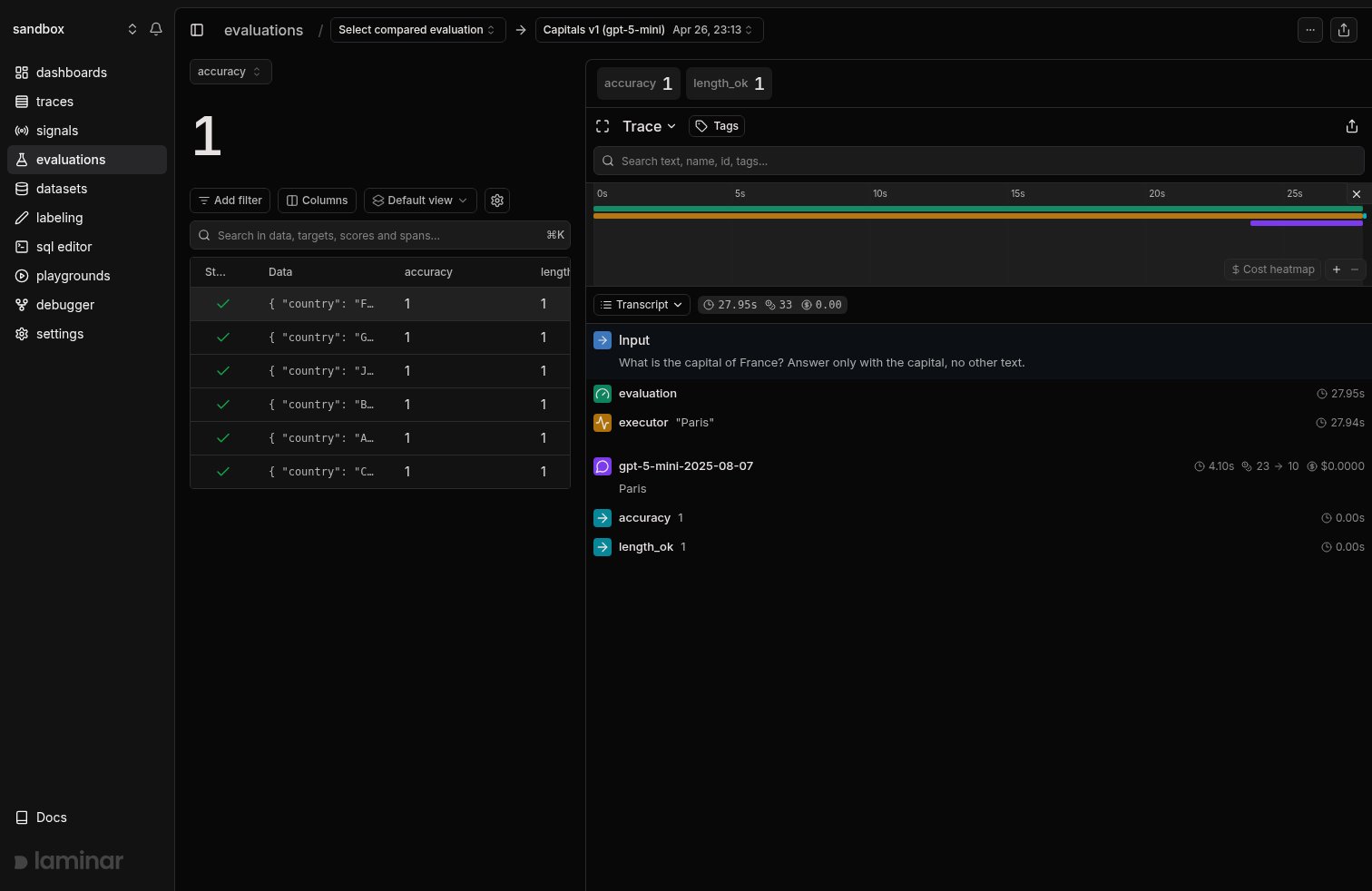
A single run: the datapoint table with a score per evaluator, and the selected datapoint's trace showing the executor, the model call, and both evaluator scores
What an evaluation can help you answer
Evaluations are for questions you can answer with a score. Some of them are obvious, some are not:- Did the new prompt break anything? Same dataset, new prompt, see if any scores regressed.
- Is the cheaper model good enough for this task? Swap
gpt-5forgpt-5-mini, run the same inputs, compare. - Does this tool actually do what I think it does? Score the tool’s output against a target, not the agent’s final answer.
- Did the last hundred production traces expose a case my evals don’t cover? Pull the failing traces into a dataset and rerun the evaluation against them.
Explore a run, then track progress across runs
The run view above answers why a datapoint scored the way it did: every datapoint and its scores on the left, the selected datapoint’s full trace on the right, so you go from a score to the exact model call behind it in one click. The group view answers did the score move: runs sharing a group name are charted together, one line per score dimension, so a regression on any dimension is visible the moment the run lands.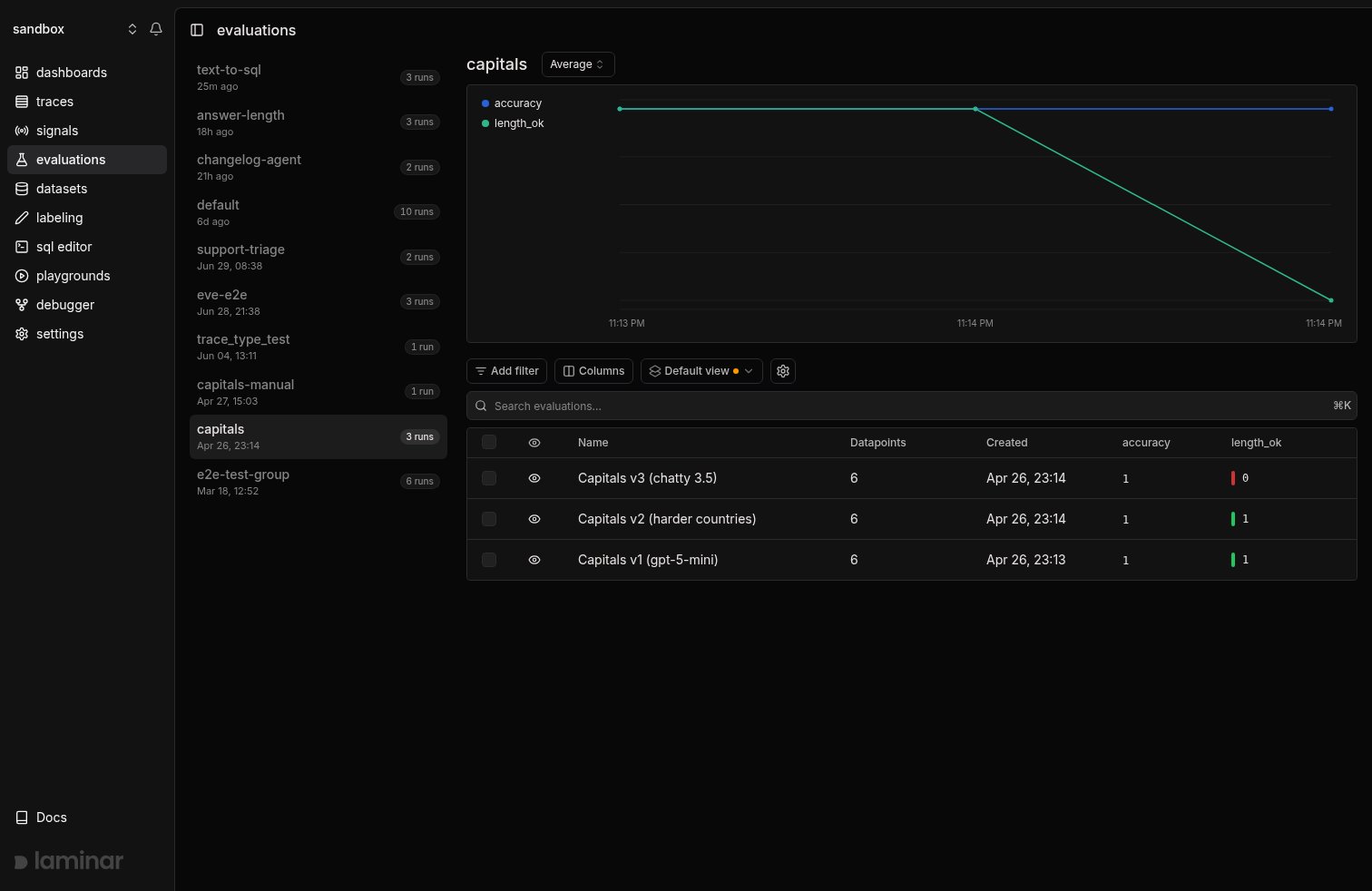
Three runs of the same evaluation, grouped: the progression chart shows length_ok dropping from 1.0 to 0.0 on the third run
Render eval traces your way
Every datapoint in a run has the same trace shape, so reviewing a run means reading the same few fields over and over. Custom rendering lets you replace the default trace view with one built for your eval: a small JSX component that receives the executor and evaluator spans and renders exactly what you need to judge a row.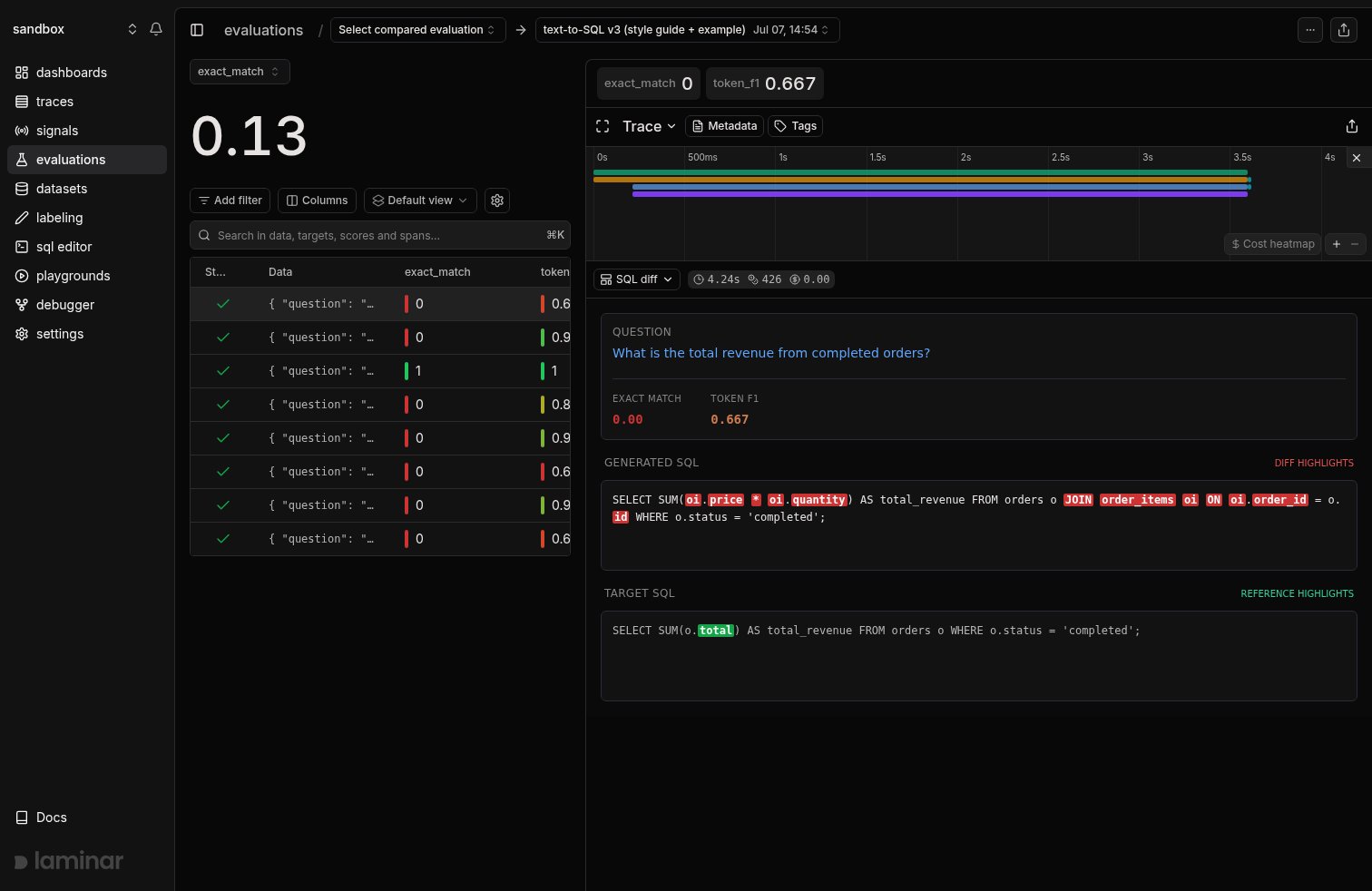
A text-to-SQL eval datapoint rendered through a custom template: the question, the scores, and a word diff between the model's SQL and the target
Anatomy of an evaluation
An evaluation has four parts:- Datapoints: a list of
{ data, target?, metadata? }objects.datais what the executor receives,targetis what the evaluators compare against,metadatais anything extra you want to filter or query on. - Executor: a function that takes
dataand returns whatever you want to score: the agent’s output, a tool call, a parsed field. - Evaluators: one or more functions that take the executor’s output (and optionally
target) and return a number or a map of numbers. Each number is a score dimension. - Group name: a string that ties related runs together so Laminar can chart them over time.
evaluate(), Laminar runs the executor on every datapoint in parallel, runs each evaluator against the output, records every call as a trace, and stores the scores on the datapoint.
Every datapoint becomes one trace with an
EVALUATION root span, an EXECUTOR child, and one EVALUATOR child per scoring function. You can query those spans in the SQL editor the same way you query any other trace.Run an evaluation from code or from the CLI
Evaluations are SDK-first. You write the file once, then run it whichever way fits your workflow:- As a script:
python my_eval.pyortsx my-eval.ts. The script runs the evaluation and exits. - Via the CLI:
lmnr eval(Python) ornpx lmnr eval(TypeScript) picks up every file matching the eval convention in yourevals/directory and runs them. Use this in CI or when you want to run many evals at once.
evaluate() function. The CLI is just a runner.
If you already benchmark agents with Harbor, you don’t need an eval file: add --plugin laminar to harbor run and each job lands in Laminar as an evaluation.
Next steps
Quickstart
Write your first evaluation, run it, and read the results.
Concepts
Datapoints, executors, evaluators, groups, and how they map to traces.
Compare runs
Group runs, read the progression chart, and do side-by-side diffs.
Datasets
Back evaluations with a Laminar dataset instead of hardcoded lists.