
The iteration loop
One turn of the loop has four steps. A coding agent with the Laminar skill runs all four on its own; you can run any of them by hand.- Run. Start your agent with
LMNR_DEBUG=true. The run is traced and recorded into the session. - Read. Open the trace in Laminar and read the transcript: the agent’s inputs, every LLM turn, every tool call, sub-agents collapsed into cards. This is where what worked and what didn’t becomes obvious, for you and for the coding agent reading the same trace.
- Change. Edit the agent: the prompt, a tool, the control flow, whatever the trace pointed at.
- Run again. Rerun against the recorded trace. Everything before the call you’re testing comes back from cache instantly; only your change and what follows it run live. The new run is a fresh trace in the same session, next to the last one.
Prove the fix with an eval
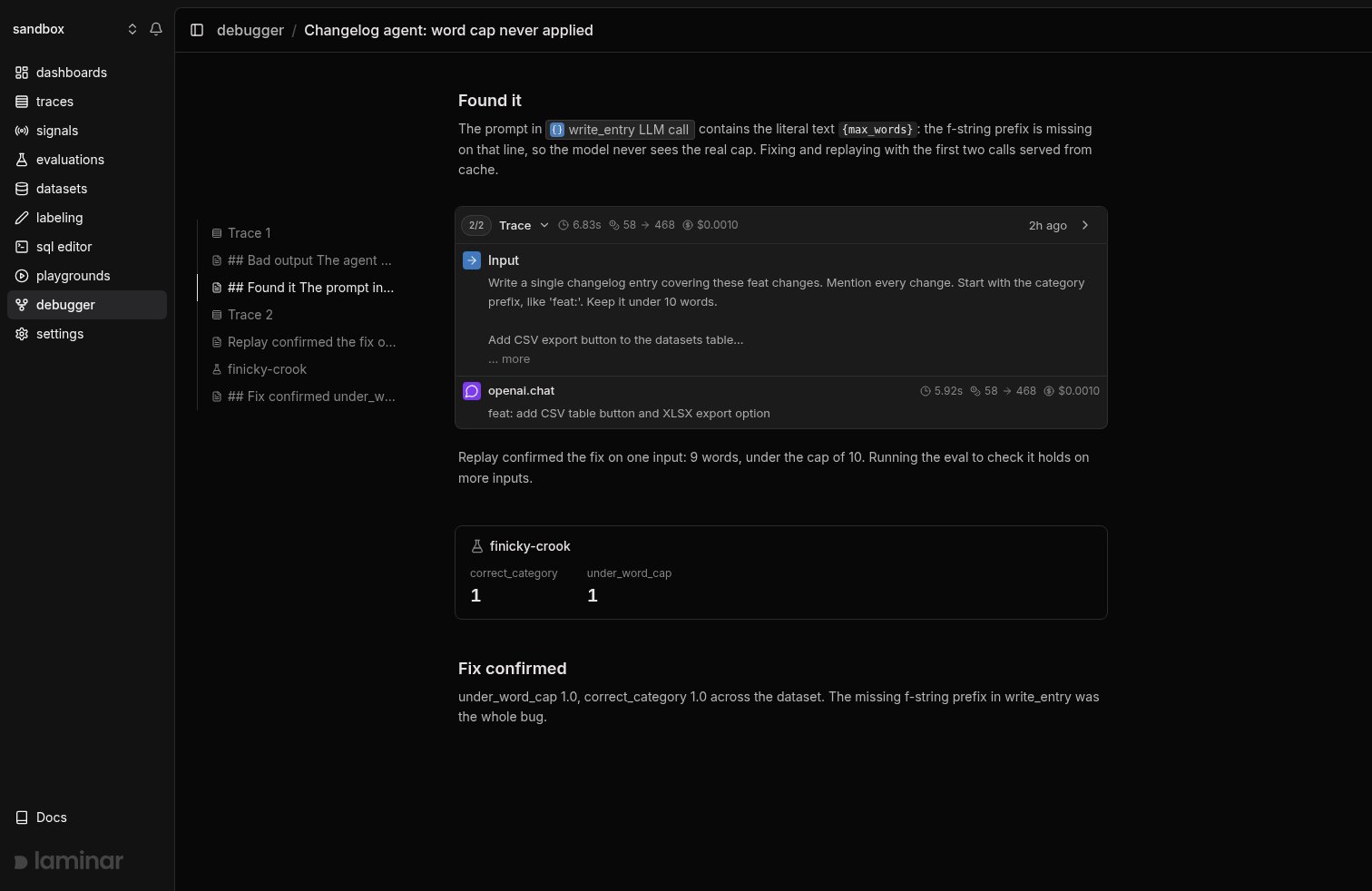
A single replay shows the fix works on one input. To show it works in general, run your evaluation withLMNR_DEBUG=true: the eval joins the same session automatically and renders as a card with per-score averages, each score marked with its change against the previous eval in the session. Fix, replay, eval, compare: the whole arc of an investigation sits in one timeline. See the debugger process for the commands.
Who drives the loop
The loop is the same whoever runs it, and you watch it from the same session view either way. Hand it to a coding agent and watch: with the Laminar skill it runs your agent, reads the trace, edits your code, and reruns on its own, leaving notes so you can follow along without touching the terminal. Stay in the loop by reading each run as it lands and pointing the agent at the span that’s wrong, or drive it yourself: every step is a CLI command or an environment variable, no coding agent required.Sessions, replay, and blocks
Three primitives make the loop work:- Sessions group everything from one investigation. The first
LMNR_DEBUG=truerun starts a session and writes.lmnr/debug-session.json; every later run in the same directory (or any subdirectory) rejoins it automatically, so neither you nor the agent copies a session id between runs. - Replay is what makes a turn fast. Rerunning against a recorded trace serves cached LLM responses up to the boundary you pick and runs everything past it live, so you only pay for the calls your change actually touched. See how caching works.
- Blocks are what a session contains: an ordered timeline of runs (traces), evaluations, notes, and CLI commands the agent ran (like a
sql queryorask), sorted by time. The UI renders the same timeline the CLI prints withlmnr-cli debug session summary, so a human and a coding agent read the same story.
What’s next
Setup
Install the CLI, run setup, and let your coding agent take it from there.
The debugger process
The full run, read, change, rerun, and eval loop, step by step.
How caching works
What gets cached, how the input hash works, and which integrations support it.
CLI reference
Full reference for the
lmnr-cli debug session commands.