Some quality dimensions are hard to score with code and hard to trust an LLM judge on. Tone, creativity, domain accuracy, anything subjective: you need a person to look at the output. HumanEvaluator is the placeholder for a human score: the evaluation runs normally, automated evaluators fire, and the human score is added later through Laminar’s UI. The primary use case is calibrating LLM-as-a-judge evaluators against human judgment. You run both a human evaluator and an LLM judge on the same datapoints, compare the two score columns, and iterate the judge prompt until they agree.

How it works

When HumanEvaluator() appears in evaluators:
  1. The executor and all automated evaluators run normally.
  2. Each datapoint gets a HUMAN_EVALUATOR span with pending status and no score.
  3. A human opens the evaluation in Laminar, reads the trace, and submits a score.
  4. The score is written back to the datapoint and flows into the group’s progression chart like any other.
The automated scores are available immediately; human scores trickle in as people get to them.

Basic usage

Combine a code evaluator with a human evaluator. The code check runs instantly, the human check waits for someone to score it.
from lmnr import evaluate, HumanEvaluator
from openai import OpenAI

client = OpenAI()


def generate_story(data: dict) -> str:
    return client.chat.completions.create(
        model="gpt-5-mini",
        messages=[
            {
                "role": "user",
                "content": (
                    f"Write a creative short story about: {data['prompt']}. "
                    f"Keep it under {data['max_words']} words."
                ),
            }
        ],
    ).choices[0].message.content


def check_length(output: str, target: dict) -> int:
    return 1 if len(output.split()) <= target.get("max_words", 100) else 0


evaluate(
    data=[
        {
            "data": {"prompt": "A robot learning to paint", "max_words": 100},
            "target": {"max_words": 150},
            "metadata": {"category": "sci-fi"},
        },
        {
            "data": {"prompt": "A time traveler's first day in medieval times", "max_words": 100},
            "target": {"max_words": 150},
            "metadata": {"category": "historical-fiction"},
        },
    ],
    executor=generate_story,
    evaluators={
        "length_check": check_length,
        "story_quality": HumanEvaluator(),
    },
)
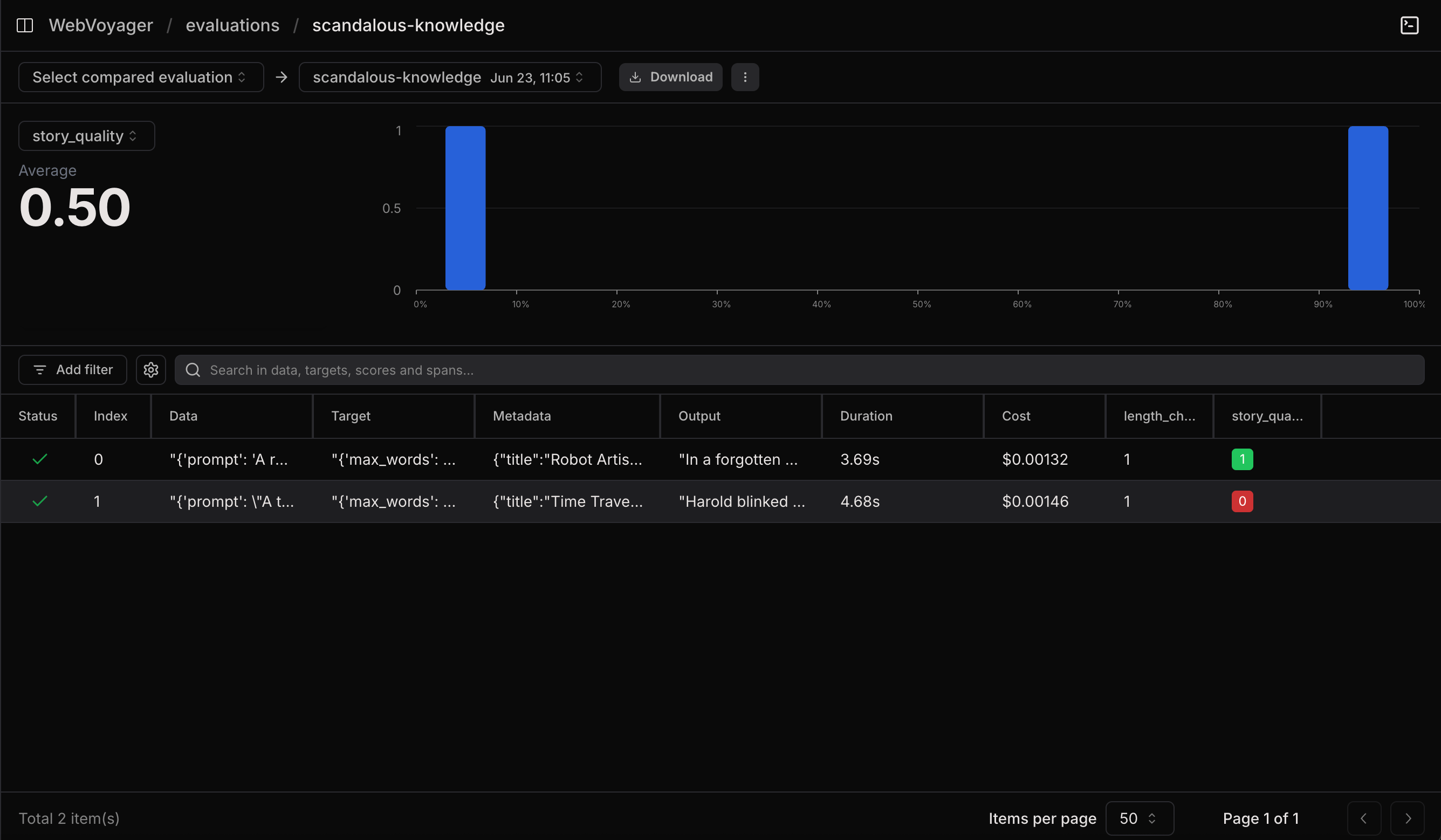
After running, the story_quality column shows pending while length_check is already populated.
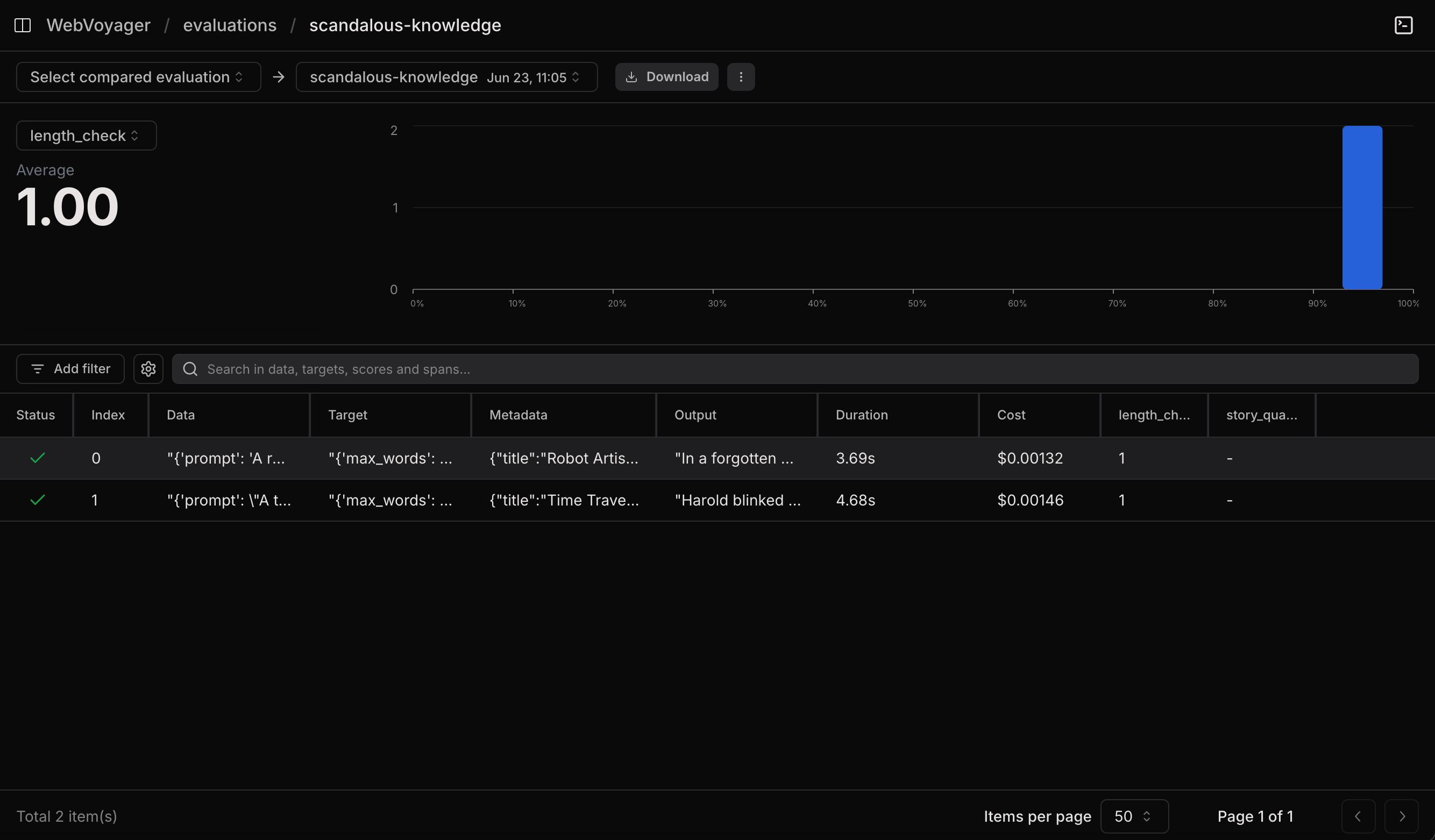
Evaluation results table where length_check is populated with scores and story_quality shows pending

Score a human evaluator in the UI

Click any datapoint row to open the trace side panel, find the HUMAN_EVALUATOR span, and submit a score. The trace shows the data that was sent to the evaluator (data, target, and executor output) so you have everything you need to judge without context-switching.
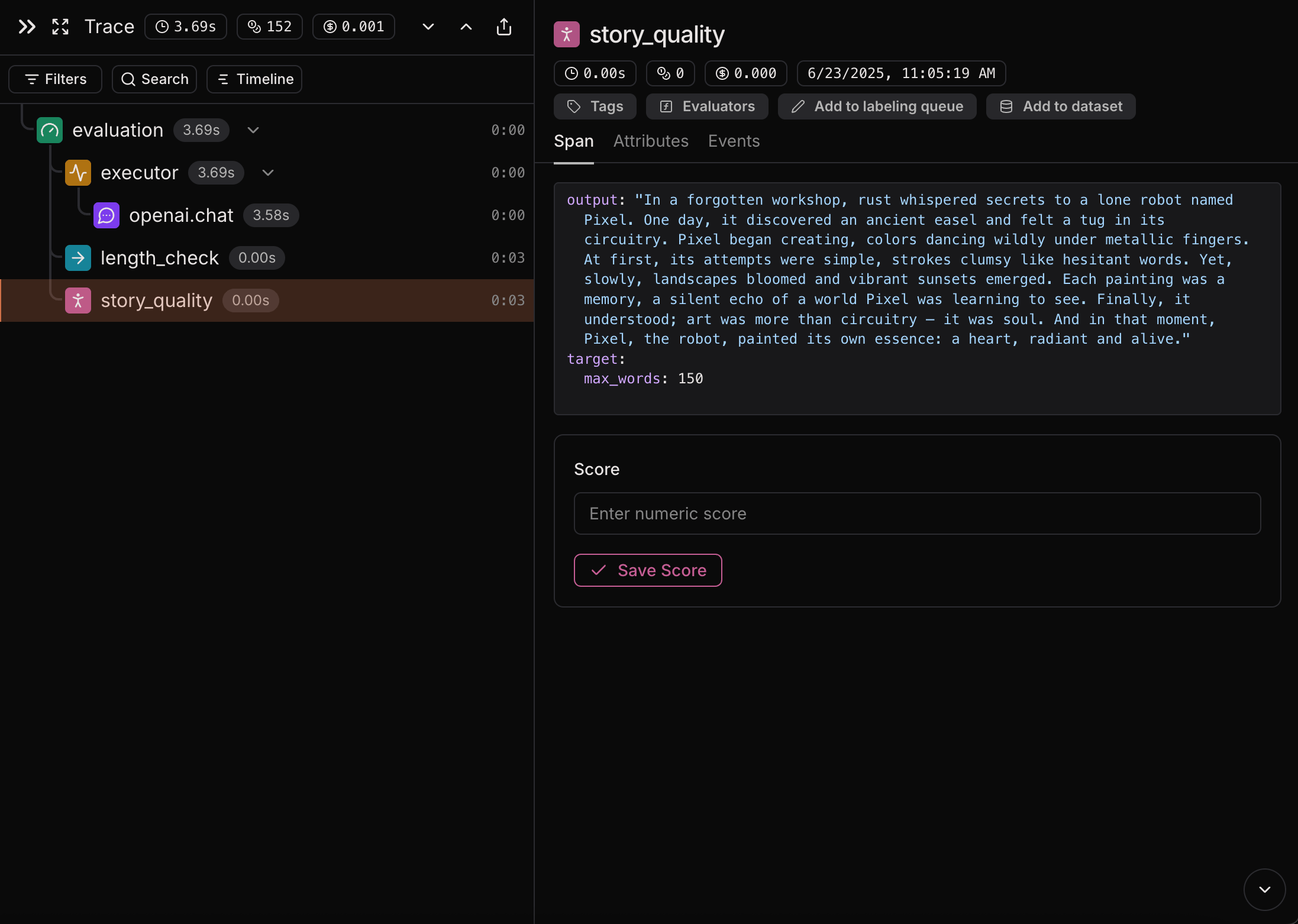
Human evaluator span with inputs and scoring UI
Once scored, the value lands on the datapoint and contributes to the evaluation’s averages.
Evaluation results table where both length_check and story_quality columns are populated

Validating LLM-as-a-judge

The pattern that actually pays off: run a human evaluator and an LLM judge on the same datapoints, compare the columns, iterate the judge prompt until they agree.
from lmnr import evaluate, HumanEvaluator
from openai import OpenAI

client = OpenAI()


def generate_customer_response(data: dict) -> str:
    return client.chat.completions.create(
        model="gpt-5-mini",
        messages=[
            {"role": "system", "content": "You are a helpful customer service representative."},
            {"role": "user", "content": data["customer_inquiry"]},
        ],
    ).choices[0].message.content


def llm_judge_helpfulness(output: str, target: dict) -> float:
    response = client.chat.completions.create(
        model="gpt-5-mini",
        messages=[
            {
                "role": "system",
                "content": (
                    "Rate the helpfulness of this customer service response 1-3.\n"
                    "1 = not helpful, 2 = moderately helpful, 3 = very helpful.\n"
                    "Respond with only the number."
                ),
            },
            {
                "role": "user",
                "content": f"Inquiry: {target['customer_inquiry']}\n\nResponse: {output}",
            },
        ],
    )
    return int(response.choices[0].message.content.strip()) / 3


evaluate(
    data=[
        {
            "data": {"customer_inquiry": "My order hasn't arrived, it's been 2 weeks"},
            "target": {"customer_inquiry": "My order hasn't arrived, it's been 2 weeks"},
        },
        {
            "data": {"customer_inquiry": "I need to return a damaged product"},
            "target": {"customer_inquiry": "I need to return a damaged product"},
        },
    ],
    executor=generate_customer_response,
    evaluators={
        "human_helpfulness": HumanEvaluator(),
        "llm_judge_helpfulness": llm_judge_helpfulness,
    },
    group_name="llm_judge_calibration",
)
Once humans have scored the rows, you can:
  • Measure correlation between human_helpfulness and llm_judge_helpfulness.
  • Find disagreements: rows where the two scores differ by more than some threshold.
  • Iterate the judge prompt until disagreements shrink.

Query human scores

Human evaluator outputs are regular spans with span_type = 'HUMAN_EVALUATOR'. Query them with the SQL editor:
SELECT input, output
FROM spans
WHERE span_type = 'HUMAN_EVALUATOR'
  AND evaluation_id = '<evaluation_id>'
ORDER BY start_time DESC
Click Export to Dataset to turn the result into a reusable dataset: map input to data and output to target. That dataset becomes your regression set for the judge.

Next steps

Compare runs

Track judge-human correlation across iterations of your judge prompt.

Datasets

Collect human scores into a dataset for reuse across evaluations.

SQL editor

Query human evaluator spans and export them to datasets.

Manual API

When you need finer control than evaluate() provides.